Garanzia di Download Sicuro, zero malware


These Instagram reels beach sunset LUTs and filters are designed for content creators who want cinematic golden hour color in seconds, without complex grading skills.
Use this guide to match the vibe of your beach scenes, from warm pastel sunsets to dramatic silhouettes, and apply Filmora filters that keep your skin tones natural while the sky and water pop on Instagram Reels.
In this article
Warm Golden Hour Beach Glow
Soft Gold Tide
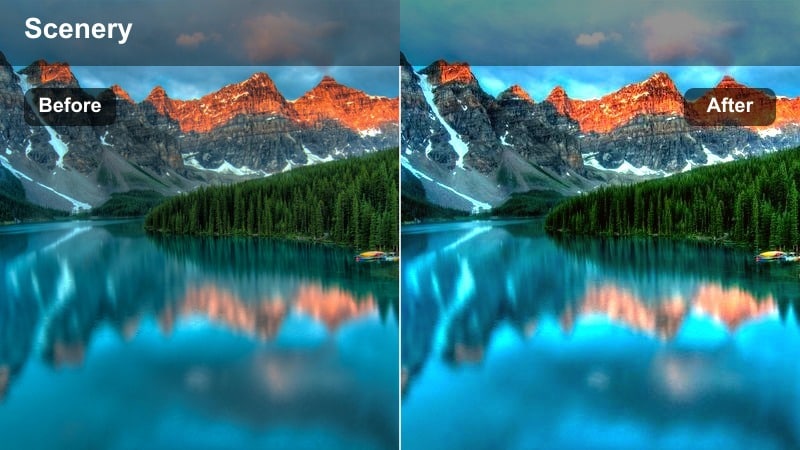
- Effect look: Subtle warm wash that enhances golden hour while keeping highlights soft and skin tones flattering.
- Best for: Handheld Instagram Reels of walking along the shoreline just before sunset with natural light.
- Editing tip: Lower contrast slightly and add a touch of vignette to keep attention on the subject against the bright horizon.
Soft Gold Tide is ideal when you want your beach sunset Reels to feel naturally warm instead of heavily filtered. It smooths out harsh highlights on the sand and water while adding a gentle golden tint that flatters skin, making it perfect for vlog-style walking shots and casual lifestyle content captured in changing light.
In Filmora, apply Soft Gold Tide to your vertical clips, then fine-tune brightness and contrast so faces stay clear even when the sun is behind your subject. Combine it with a light vignette and stabilized handheld footage to keep viewers focused on your movement along the shoreline while still showcasing the glowing sky and reflective water.
Match Your Beach Sunset Aesthetic with AI Color Tools
Filmora s AI color features help you quickly align all your beach sunset Reels with a single warm, pastel, or moody palette. Instead of grading every clip from scratch, you can analyze one reference video and let AI suggest color adjustments that keep skies, sand, and skin tones consistent.
Open your sunset project in Filmora, pick a Reel that already performs well on Instagram, and use AI color matching to bring newer clips in line with that look. This keeps your coastal grid cohesive even when footage comes from different days, cameras, or lighting conditions.

 secure download

Preview Beach Sunset Filters in Real Time
Filmora lets you preview multiple beach sunset LUTs and filters directly in the timeline so you can instantly see how each one transforms the sky and water. This makes it easy to compare warm golden hour looks, pastel tones, and high-contrast silhouettes on the same clip before you commit.
Drop a 10 to 15 second beach shot into your project, hover over different filters, and watch how they shift your highlights, shadows, and skin tones in real time. Then lock in the filter that best matches your Reel s music, pacing, and overall vibe.
secure download1000+ Video Filters and 3D LUTs
Filmora includes a large library of creative filters and 3D LUTs that cover everything from subtle golden hour polish to stylized cinematic color grades. You can layer LUTs with beach sunset filters to refine contrast, saturation, and mood without touching advanced tools like curves.
Start by applying a base LUT to set overall contrast, then stack a coastal sunset filter on top to dial in the exact warmth or coolness you want for Instagram Reels. This workflow keeps your edits fast while still looking like a custom color grade.
secure downloadHoney Shoreline
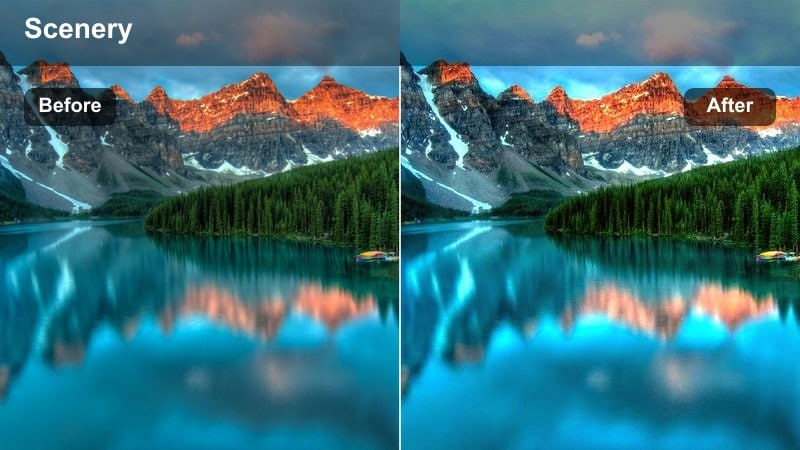
- Effect look: Rich honey-toned warmth that deepens sand color and adds creamy highlights to waves.
- Best for: Beach reels that focus on close-ups of feet in the sand, water splashes, and detail shots during sunset.
- Editing tip: Add slow-mo clips and slightly reduce sharpness to push a soft, dreamy aesthetic that fits the honey glow.
Honey Shoreline is designed to make sand grains, seafoam, and water droplets feel rich and tactile, giving detail shots a cinematic warmth. The filter adds a cozy honey tone to midtones and highlights, which works especially well for macro shots of feet, hands, shells, or waves catching the last light.
Inside Filmora, pair Honey Shoreline with slow-motion footage and subtle blur on the edges to keep attention on the sharp textures in the center of the frame. Slightly reduce overall sharpness and contrast so your Instagram Reels feel dreamy and romantic while still preserving enough detail for 1080 x 1920 vertical playback.
Amber Path
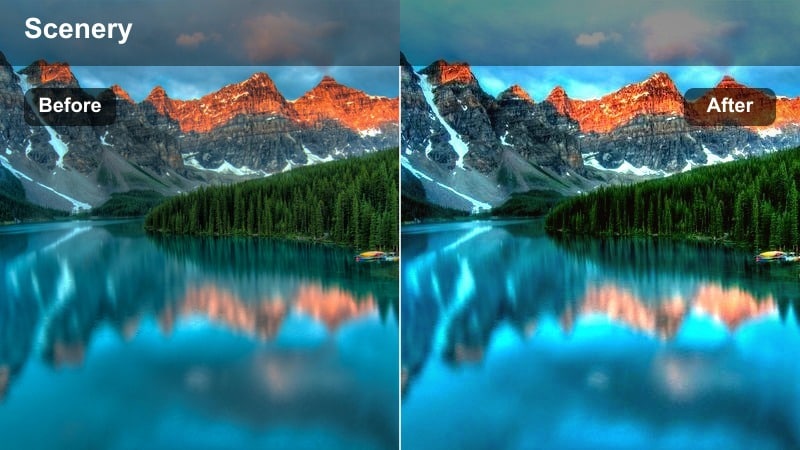
- Effect look: Soft amber tones with lifted shadows that keep darker areas visible and gentle.
- Best for: Couple or lifestyle reels walking toward the camera with the sun low on the horizon behind them.
- Editing tip: Lift blacks slightly while adding a bit of clarity so the scene looks airy but still defined on mobile screens.
Amber Path brightens the darker parts of your frame so backlit walks and couple shots remain clear and romantic instead of muddy. The filter wraps the scene in a soft amber hue that smooths contrast, helping you keep detail in outfits, hair, and faces even when the sun is directly behind your subjects.
Apply Amber Path to lifestyle clips in Filmora, then gently raise the black levels and add a touch of clarity for mobile-friendly contrast. This combination keeps your silhouettes from going too dark and ensures that the warm sunset remains vibrant, making your Reels look polished and cinematic without heavy manual grading.
Dreamy Pastel Beach Skies
Cotton Candy Horizon
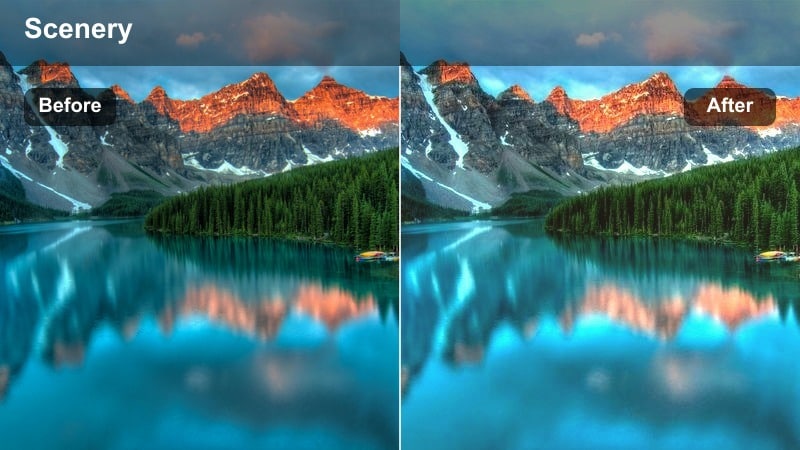
- Effect look: Muted contrast with pastel pinks and purples in the sky, perfect for soft and dreamy vibes.
- Best for: Wide shots of the ocean horizon and timelapse-style reels of the sun dipping below the waterline.
- Editing tip: Reduce highlights and boost vibrance instead of saturation to keep the pastel colors luminous without banding.
Cotton Candy Horizon turns your sunset skies into smooth gradients of pink and purple, ideal for aesthetic Reels and calm, looping horizon shots. The filter slightly lowers contrast while injecting pastel tones into the highlights, making clouds and distant waves look soft and ethereal.
In Filmora, apply Cotton Candy Horizon to well-exposed horizon clips, then lower highlight levels to keep detail in bright clouds. Increase vibrance rather than saturation to avoid banding in the sky, and stabilize or timelapse your footage so the color shifts stay smooth and soothing in vertical Instagram playback.
Peach Mist
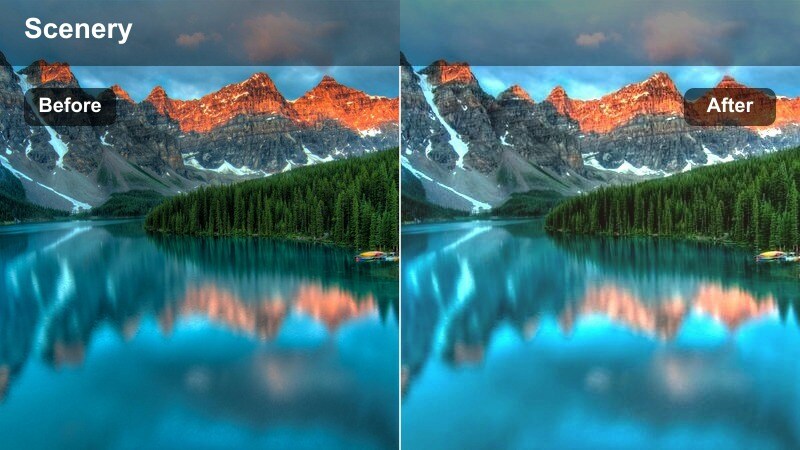
- Effect look: Soft peach tint across midtones that flatters skin while keeping the ocean subtle and hazy.
- Best for: Portrait-style Reels with the subject facing the camera and soft pastel skies in the background.
- Editing tip: Lower overall saturation and slightly increase exposure to create a light, airy feed-friendly look.
Peach Mist lays a gentle peach tone over midtones, making skin look warm and flattering without overpowering the pastel sky behind your subject. It works especially well for talking-to-camera Reels, outfit showcases, and close-up portraits where you want a light, airy aesthetic.
Use Peach Mist in Filmora on clips where your subject fills most of the frame, then decrease global saturation slightly while lifting exposure a bit. If skin starts to look too orange, use HSL controls to pull back the orange channel, keeping the peachy vibe across the scene while preserving natural, Instagram-ready skin tones.
Lavender Tide
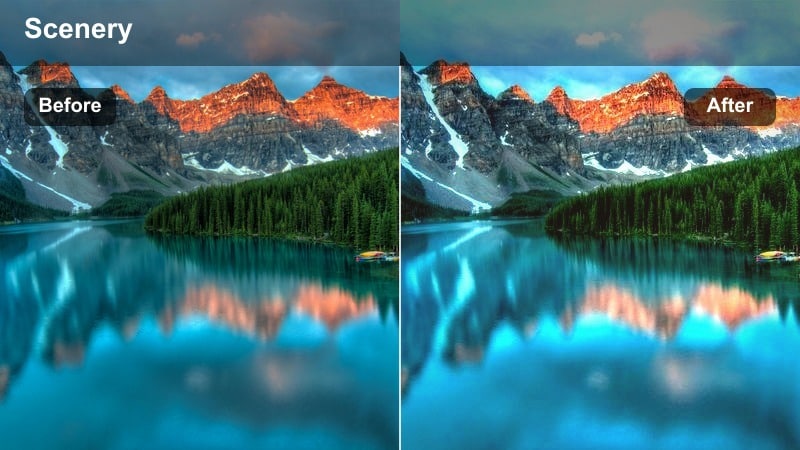
- Effect look: Cool lavender highlights with gentle blues in the shadows for a slightly moody pastel look.
- Best for: Slow, reflective Reels featuring waves rolling in, minimalist compositions, and solo beach walks.
- Editing tip: Add a slow push-in keyframe and gentle film grain to enhance the calm, introspective mood.
Lavender Tide blends cool lavender highlights with soft blue shadows to give your sunset and dusk clips a moody, reflective pastel tone. This filter is perfect for minimalist compositions, quiet shoreline shots, and solo walks that you want to pair with mellow or ambient music.
In Filmora, apply Lavender Tide and add slow push-in or pan keyframes so the color gradients feel alive rather than static. Layer in a touch of film grain and subtle motion blur to smooth handheld movement, creating calm, cinematic Reels that hold attention in the Instagram feed without loud colors.
Dramatic Sunset Silhouettes and Contrast
Crimson Edge
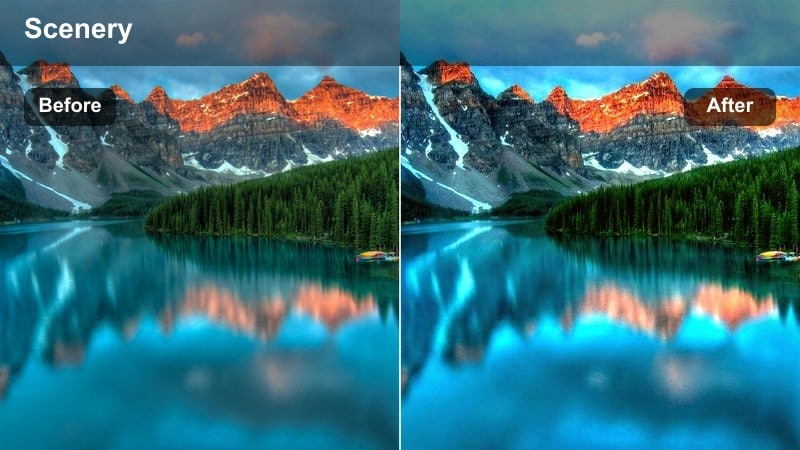
- Effect look: Deep contrast with bold reds and oranges in the sky, creating strong silhouettes against the sun.
- Best for: Dance or movement Reels with the subject outlined against an intense red-orange sunset.
- Editing tip: Pull shadows lower and add a slight clarity boost to make silhouettes crisp on small screens.
Crimson Edge pushes reds and oranges in the sky while deepening shadows, turning your subjects into bold silhouettes against a fiery backdrop. It is ideal for dance, fitness, and movement Reels where you want clean shapes and dramatic poses to stand out on the beach.
Inside Filmora, slightly underexpose your original footage, then apply Crimson Edge and pull shadows further down for graphic silhouettes. Add a bit of clarity and adjust sharpness so outlines stay crisp in vertical format, ensuring your choreography and body lines read clearly on small Instagram screens.
Ember Silhouette
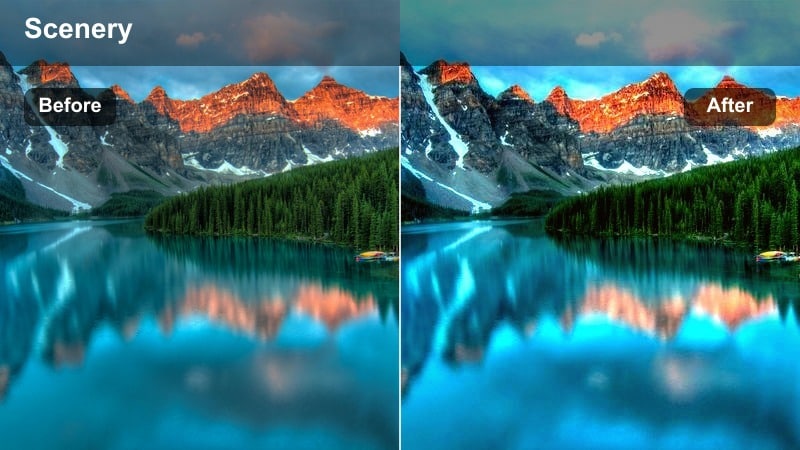
- Effect look: Warm ember tones with crushed blacks and subtle glow around bright edges for dramatic outlines.
- Best for: Reels featuring jumping, spinning, or posing on rocks and piers at the last light of sunset.
- Editing tip: Add a slight bloom or glow effect around the brightest parts of the sun to exaggerate the ember feel.
Ember Silhouette creates intense contrast with deep blacks and a warm ember glow around the brightest parts of the sun, perfect for dynamic poses and jumps. The filter simplifies backgrounds so your subject and rocks or piers become strong shapes against a burning sky.
In Filmora, apply Ember Silhouette and allow portions of the foreground to go fully black, then add a subtle bloom effect to enhance the glow near the sun. Use masks to preserve a bit of detail in hair or hands so your silhouette feels expressive, and time your cuts with jumps or spins to make your Reels feel powerful and energetic.
Sunset Noir
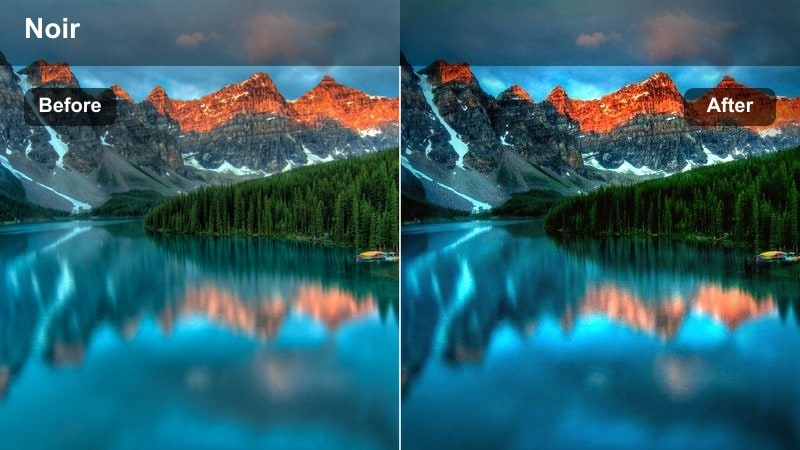
- Effect look: Desaturated beach tones with strong contrast and only a hint of warm color in the sky.
- Best for: Moody narrative Reels, walking away shots, and storytelling content with a cinematic edge.
- Editing tip: Lower saturation for everything except reds and oranges to keep a subtle sunset accent in an otherwise noir frame.
Sunset Noir strips most color from your beach scene while preserving a faint warmth in the sky, giving your Reels a cinematic, almost monochrome style. It suits narrative content, reflective walks, and storytelling edits where mood and framing matter more than vibrant hues.
Apply Sunset Noir in Filmora, then selectively reduce saturation on blues, greens, and yellows, keeping a narrow band of warm color near the horizon. Combine this grading with simple compositions and strong leading lines in vertical format, so your viewer s eye naturally follows the remaining strip of color for maximum emotional impact.
Blue Hour and Nightfall at the Beach
Cobalt Afterglow
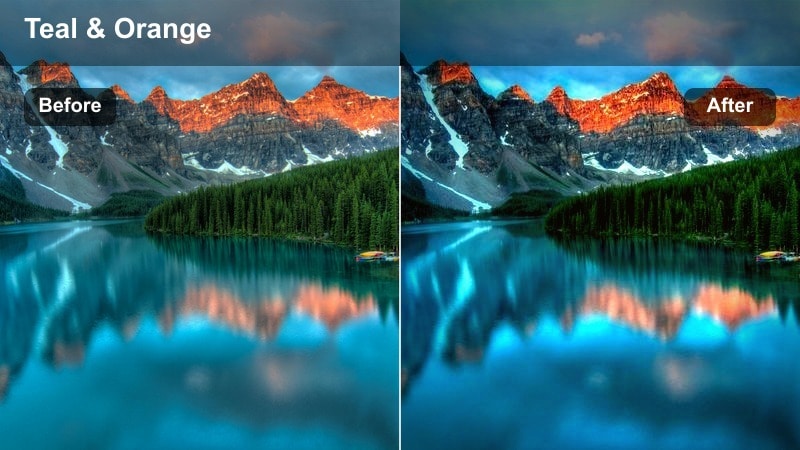
- Effect look: Cool cobalt blues in shadows with a subtle teal shift in the water, ideal for post-sunset clips.
- Best for: Blue hour Reels of waves, tide pools, and city lights reflecting on the water after the sun is gone.
- Editing tip: Drop temperature slightly and increase dehaze to keep the cool tones crisp and atmospheric.
Cobalt Afterglow emphasizes deep blues and teals that appear after the sun has dipped below the horizon, adding structure to low-light shoreline scenes. It brings clarity to waves, rocks, and reflections while maintaining the naturally moody feel of blue hour.
In Filmora, use Cobalt Afterglow on slightly underexposed clips, apply light noise reduction first, and then increase dehaze for extra definition. Focus on lifting midtones instead of shadows to avoid amplifying grain, so your nightfall Reels stay clean and cinematic when compressed by Instagram.
Midnight Shore
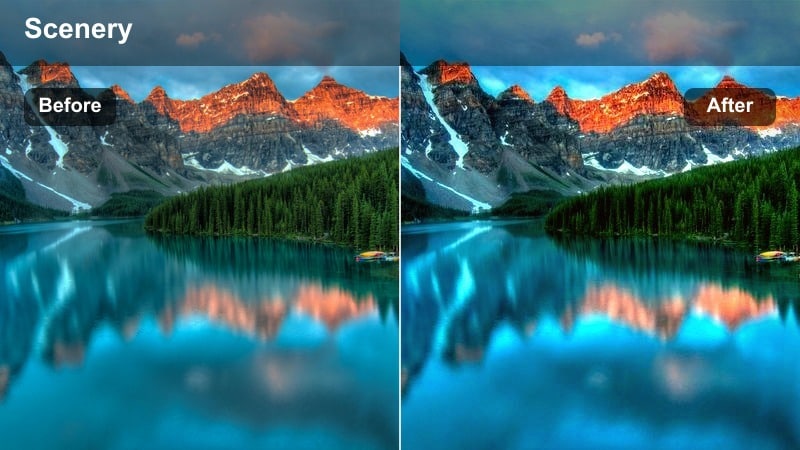
- Effect look: Deep, inky blues with lifted highlights, making reflections on wet sand and waves stand out.
- Best for: Night-time Reels with silhouettes, lanterns, or phone lights near the water s edge.
- Editing tip: Use a radial mask to brighten just the subject and their reflection while keeping the rest of the frame dark.
Midnight Shore creates a dramatic night look with almost inky blues and bright, eye-catching reflections on wet sand and breaking waves. It is perfect for Reels that feature silhouettes lit by lanterns, bonfires, or phone screens along the shoreline.
In Filmora, combine Midnight Shore with radial masks to selectively brighten your subject and their reflection, leaving the surrounding frame deep and atmospheric. This targeted approach shapes the viewer s focus in vertical format and preserves the immersive night mood while still keeping your main subject visible on smaller screens.
Dusky Teal Drift
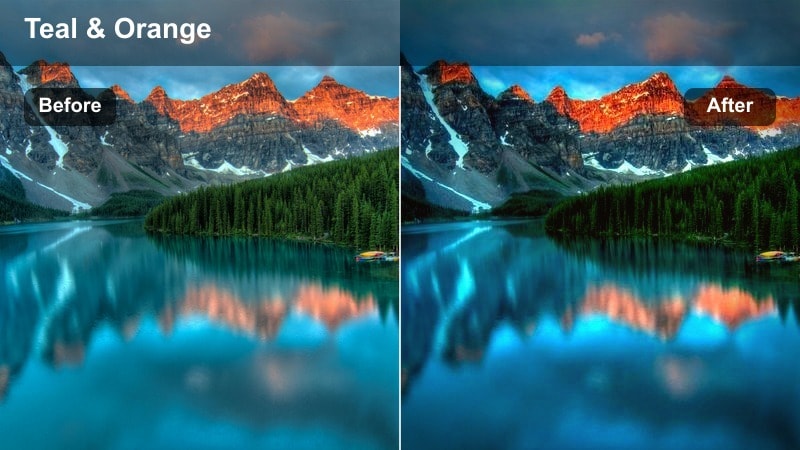
- Effect look: Teal and cyan split-toning in shadows with gentle magenta in highlights for stylized late-evening clips.
- Best for: Travel and cinematic B-roll Reels of boardwalks, shoreline paths, and waves under fading light.
- Editing tip: Use keyframed color temperature transitions to gradually cool the clip as the Reel progresses into night.
Dusky Teal Drift applies stylized teal and cyan tones to shadows while adding a hint of magenta to remaining sky highlights, giving your late-evening clips a cinematic, travel-film feel. It works well for B roll of boardwalks, shoreline paths, and waves as light fades from sunset into early night.
In Filmora, enhance this look by keyframing white balance from warmer to cooler over the duration of your clip, simulating time passing from golden hour to night. Combine the filter with gentle speed ramps and soft cross-dissolves between shots to create smooth, day-to-night transitions that feel sophisticated in your Instagram Reels.
Tips for Using Instagram Reels Beach Sunset Luts Filters in Filmora
- Shoot your beach sunset Reels slightly underexposed so Filmora s filters have more highlight detail to work with in the sky.
- Keep your white balance consistent across clips before adding Instagram reels beach sunset LUTs to avoid color jumps between shots.
- Use vertical-friendly compositions with clear foreground subjects so the sunset filters have strong shapes to emphasize.
- Export at high bitrate and resolution in Filmora to preserve subtle gradients and pastel skies once Instagram compresses your Reels.
- Pair your chosen sunset filter with music and pacing that match the mood, whether it is calm pastel waves or high-energy silhouettes.
- Test multiple LUT and filter combinations on an adjustment layer to quickly compare different sunset looks without duplicating clips.
- Use Filmora s HSL and masking tools to fine-tune specific colors like sky blues and skin tones after applying a LUT.
- Save your favorite beach sunset looks as custom presets in Filmora so you can apply them to new Reels in one click.
With the right Instagram reels beach sunset LUTs and filters in Filmora, you can turn everyday shoreline clips into cinematic, scroll-stopping Reels in a few clicks.
Test a handful of warm, pastel, dramatic, and blue hour looks on your next beach session so your coastal content stands out with a consistent visual style on Instagram.
secure download