Garanzia di Download Sicuro, zero malware


These warm home decor filters are designed for Instagram Reels creators who want to turn simple room tours, makeovers, and decorating videos into inviting, cinematic moments.
Use these cozy, LUT-inspired Filmora filters to add soft highlights, golden midtones, and gentle contrast that flatter interior spaces and make your decor feel lived-in and aspirational.
In this article
Golden Morning Light in Cozy Interiors
Soft Dawn Glow
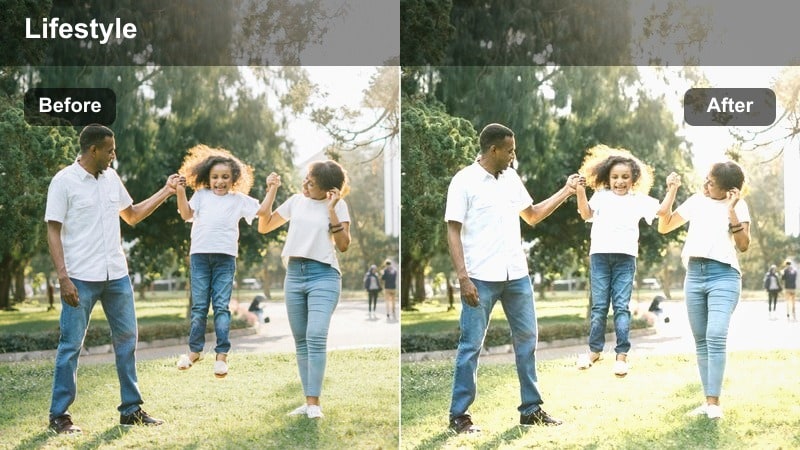
- Effect look: Subtle, milky highlights with a pale golden tint that brightens neutral interiors without blowing out whites.
- Best for: Calm morning home decor reels, coffee table shots, and slow pans across bright living rooms.
- Editing tip: Lower overall exposure slightly after applying, then raise shadows to keep corners of the room visible and soft.
Soft Dawn Glow brings a light, airy warmth to your decor clips, perfect for minimalist spaces and neutral palettes. In Filmora, you can apply this warm look using decor-focused filters or LUT-style presets, then fine-tune exposure so whites stay clean while the room still feels sun-kissed.
For Instagram Reels, combine this filter with slow pans across your living room, coffee table vignettes, or plant corners to create a relaxed morning narrative. Slightly raising shadows in Filmora keeps window-side areas bright but still detailed, helping your interiors look fresh, inviting, and easy to scroll through.
Match Warm Filters to Your Home Decor Palette with AI
Use Filmoras AI tools to quickly analyze your clips and suggest color adjustments that align these warm home decor filters with your real wall colors, furniture finishes, and textiles. This keeps white walls from going too orange and preserves the subtle tones in woods, linens, and metals.
After applying a warm filter, adjust temperature, tint, and saturation with AI-assisted controls so every shot in your Reel shares the same cozy mood, even if they were filmed in different rooms or at different times of day.

 secure download

Preview Warm Home Decor Filters in Real Time
Filmora lets you hover and preview warm, decor-friendly filters directly on your clips, so you can instantly see how each look affects your walls, textiles, and furniture. This makes it easy to compare subtle golden tones versus deeper amber looks before committing to one style.
You can also stack filters with gentle vignettes or blur to shape the light in your scene, building a signature cozy aesthetic that feels consistent from Reel to Reel.
secure download1000+ Video Filters and 3D LUTs
Beyond warm home decor looks, Filmora includes a large library of filters and 3D LUTs that can shift your Reels from natural daylight to cinematic, studio-inspired grades in a single click. You can layer subtle warm LUTs over clean color correction to keep your footage polished but still true to life.
Use HSL and advanced color controls to fine-tune specific hues, like toning down bright greens or boosting wood tones, so every decor detail feels intentional on screen.
secure downloadSunlit Sheets
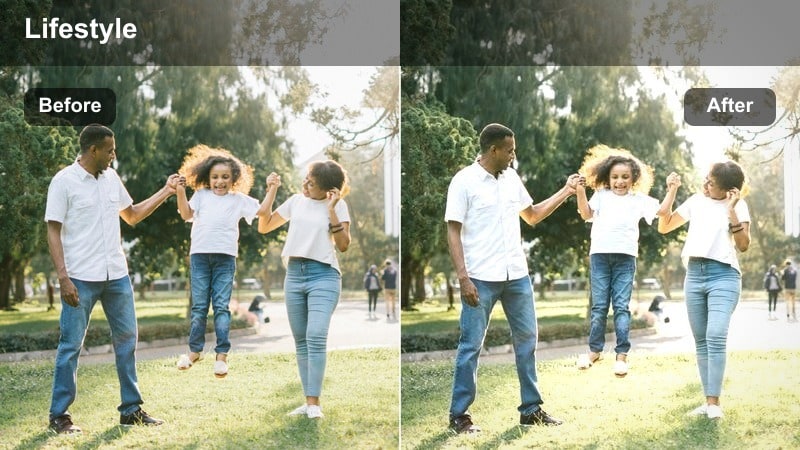
- Effect look: Creamy, warm highlights and softened contrast that make fabrics and bedding look extra cozy.
- Best for: Bedroom styling reels, bed-making routines, and close-ups of layered textiles and throws.
- Editing tip: Increase saturation in the orange and yellow channels slightly to make wood tones and linens pop without oversaturating skin.
Sunlit Sheets is ideal for bedroom Reels where textures and layering are the stars, from duvets to throws and pillows. In Filmora, apply a warm filter or LUT, then subtly boost oranges and yellows to bring out warmth in wood headboards and bedside tables while keeping the overall mood soft.
Use top-down shots of your bed-making routine or slow diagonal pans across layered bedding to showcase the cozy effect. With gentle color and saturation tweaks in Filmora, this look turns simple linen shots into aspirational, save-worthy decor content on Instagram.
Breakfast Nook Haze
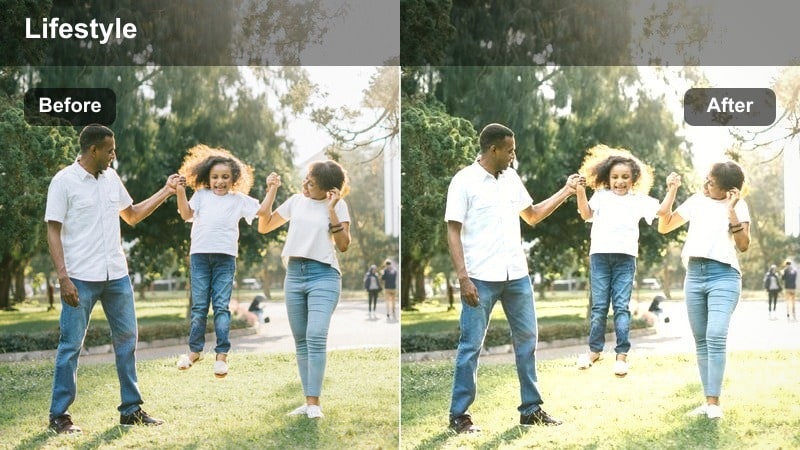
- Effect look: Gentle haze with lifted blacks and amber midtones that create a relaxed brunch-time ambience.
- Best for: Dining corner tours, styled tablescapes, and small kitchen decor reels with natural light.
- Editing tip: Add a slight vignette to draw focus to the center of the frame and reduce clarity to soften hard edges around decor pieces.
Breakfast Nook Haze gives your dining corners and tiny breakfast spaces a dreamy, laid-back feel, perfect for brunch and coffee-themed Reels. In Filmora, the lifted blacks and amber midtones can be achieved with warm filters combined with reduced contrast and clarity for a softened, hazy mood.
Use this look on clips of wooden tables, woven placemats, and mugs to emphasize comfort over sharp detail. A subtle vignette in Filmora helps pull the viewer toward your centerpiece or table setup, turning a small corner of your home into an intimate, cinematic decor moment.
Golden Hour Living Room Vibes
Amber Sofa Scene
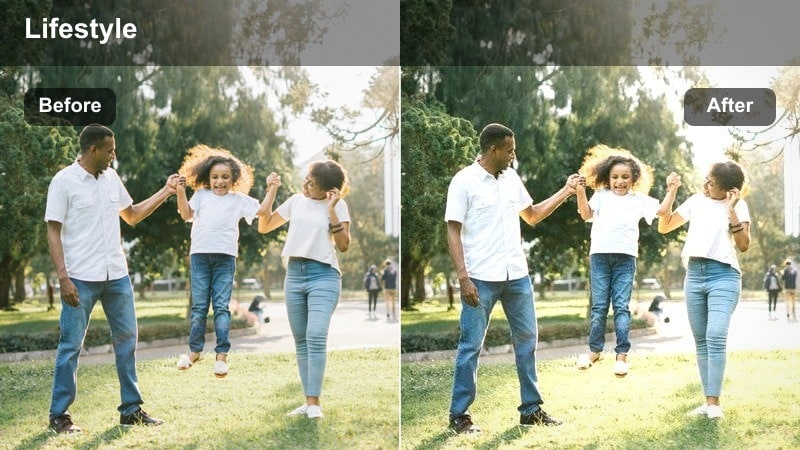
- Effect look: Rich amber warmth with deeper contrast that makes sofas, cushions, and decor silhouettes stand out.
- Best for: Living room reveals, couch styling, and evening relaxation reels with warm lamps or sunset light.
- Editing tip: Reduce contrast slightly for darker rooms so details in couch fabrics and decor are not lost in the shadows.
Amber Sofa Scene wraps your living room in a rich, golden-hour glow that accentuates silhouettes and layered textiles. In Filmora, pair a strong warm filter with moderate contrast to deepen shadows behind your sofa while keeping cushions and throws clearly defined.
Use this style for reveal-style Reels where the camera moves from doorway to couch, or for static shots that highlight styling details like cushions and side tables. If your room is naturally dark, gently pulling back contrast and lifting shadows in Filmora ensures your cozy decor stays visible without sacrificing the amber mood.
Evening Glow Corner
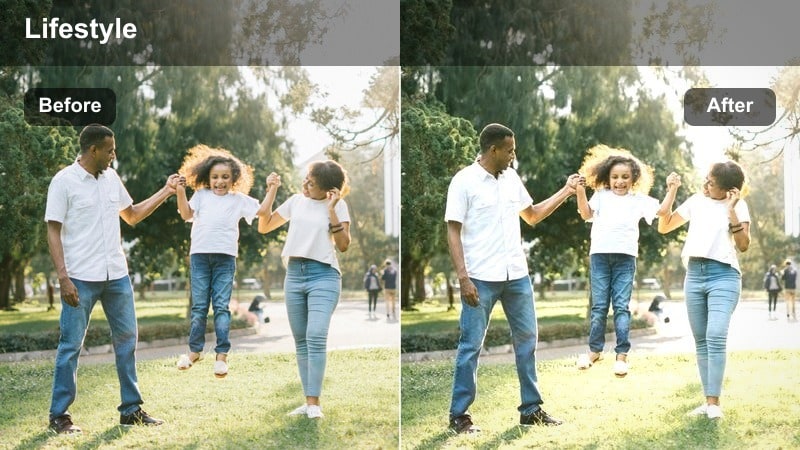
- Effect look: Deep, honey-like warmth with softened highlights for intimate corners lit by lamps or wall lights.
- Best for: Reading corners, armchair setups, and side-table styling reels shot in low evening light.
- Editing tip: Drop the whites slider slightly to prevent lamp shades from clipping while keeping the warm glow intact.
Evening Glow Corner is made for cozy reading nooks and armchair vignettes, giving practical lights a deep honey tone while softening their brightest highlights. In Filmora, start with a warm LUT or filter, then gently pull down whites so lamps and sconces keep their shape without blowing out.
Capture static or slow moving shots of your chair, side table, and lamp, letting the warm filter pool light around the focal area. This look works particularly well for evening routine Reels, where your decor, books, and textiles tell a calm, end-of-day story on screen.
Sunset Wall Wash
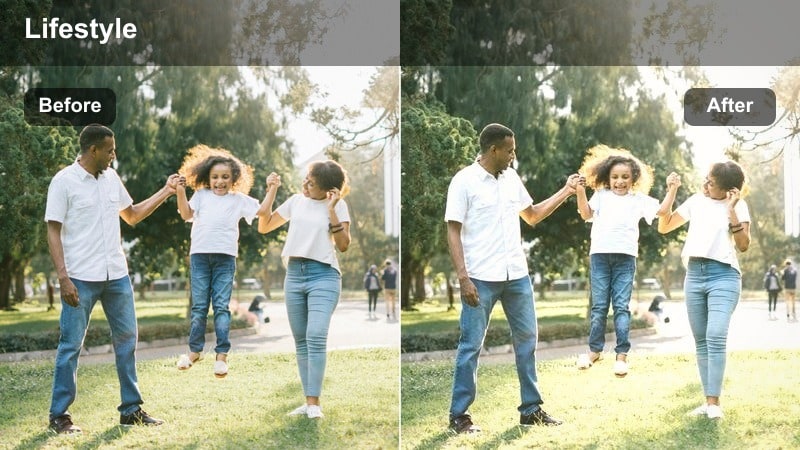
- Effect look: Warm gradient feel with slightly tinted shadows that mimic sunset light spreading across walls.
- Best for: Accent wall features, art gallery walls, and decor shelves in golden hour reels.
- Editing tip: Increase saturation in reds and oranges for brick or terracotta accents while keeping skin tones closer to neutral.
Sunset Wall Wash recreates the feeling of warm light traveling across your walls, perfect for gallery walls and styled shelving. In Filmora, you can strengthen this gradient vibe by combining a warm filter with gentle color grading in the shadow and midtone ranges, giving the scene a subtle sunset tint.
Use lateral camera moves along the wall so viewers feel the warmth shift over frames, artwork, or objects. A light touch of additional saturation in reds and oranges helps brick, terracotta, and warm-toned decor pop on Instagram without making the room look overly filtered.
Cozy Evening Bedroom and Sanctuary Shots
Candlelit Comfort
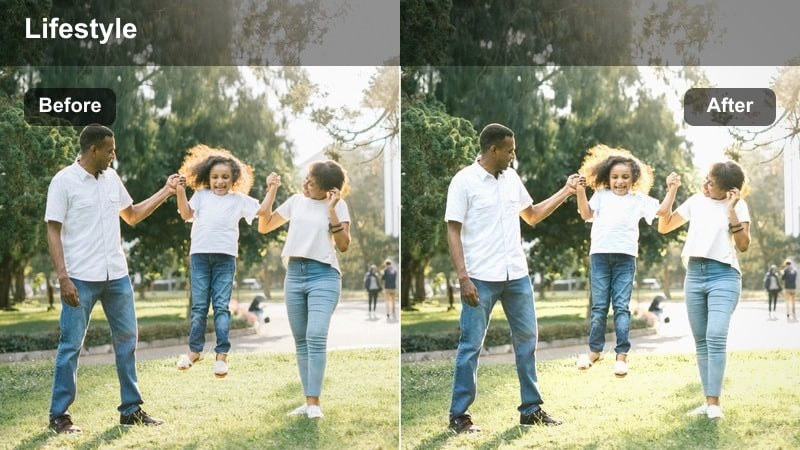
- Effect look: Soft, low-contrast warmth with lifted blacks that mimic candle and string light ambience.
- Best for: Nighttime bedroom reels, headboard styling, and cozy evening routine decor shots.
- Editing tip: Lower clarity to blend edges of lights and textiles, and add a slight vignette for a more intimate feel.
Candlelit Comfort softens your bedroom scenes into a gentle, glowing sanctuary that feels like it is lit only by candles and string lights. In Filmora, apply a warm, low-contrast filter and slightly lift the blacks to reduce harsh shadows and create a plush, velvety mood around the bed.
Combine this look with close-ups of textured throws, pillows, and bedside decor, while lowering clarity to blur strong edges and light sources. A subtle vignette in Filmora narrows attention toward the center of the frame, making every nighttime Reels moment feel more intimate and cinematic.
Taupe Evening Mix
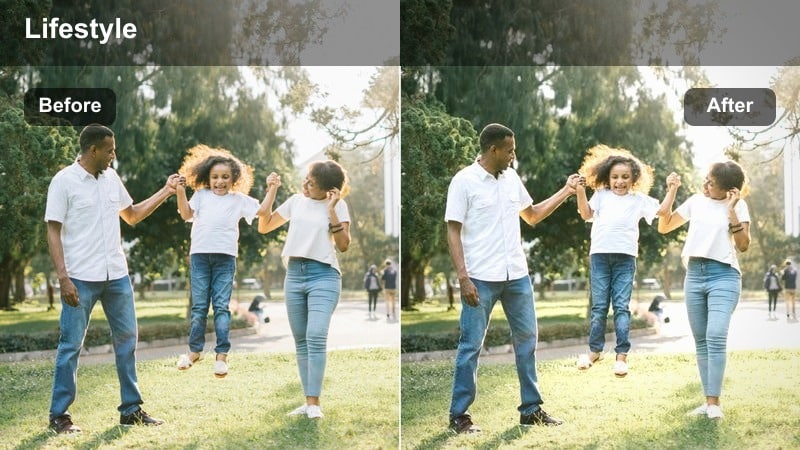
- Effect look: Balanced beige and taupe toning with warm highlights that flatter neutral bedding and soft furnishings.
- Best for: Neutral bedroom tours, minimalist decor reveals, and calming wind-down reels.
- Editing tip: Slightly increase midtone contrast to keep neutral decor from looking flat under softer evening light.
Taupe Evening Mix is tailored for neutral-heavy bedrooms, where beige, taupe, and cream dominate the palette. In Filmora, a gentle warm filter combined with subtle midtone contrast keeps your soft furnishings dimensional and prevents them from blending into one flat tone.
Use this style on full-room tours and slow bed flyover shots to reveal layering and texture in your linens and throws. A mild warm highlight boost brings out the best in neutral decor, making your sanctuary Reels feel calming yet visually rich on the Instagram grid.
Nightstand Story
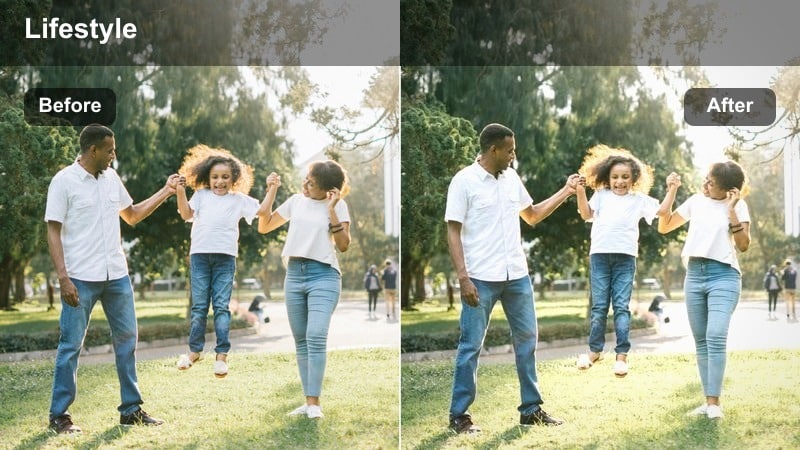
- Effect look: Focused warmth around lights and highlights with slightly darker, softened backgrounds.
- Best for: Nightstand styling reels, close-ups of decor details, and quiet nighttime vignettes.
- Editing tip: Crop vertically to emphasize vertical lines of lamps and decor, then gently increase sharpness on key items only.
Nightstand Story concentrates warmth on your bedside lamp, books, and small decor objects, letting the background fall gently into shadow. In Filmora, you can emphasize this spotlight effect with a warm filter, local sharpness on key items, and slightly darkened exposure in the surrounding area.
Record several short clips from different angles and distances, then cut them together into a mini montage for Instagram Reels. Cropping vertically and adding the same warm treatment across each shot in Filmora keeps the sequence cohesive and makes even small decor details feel cinematic.
Welcoming Kitchen and Entryway Warmth
Doorway First Impression
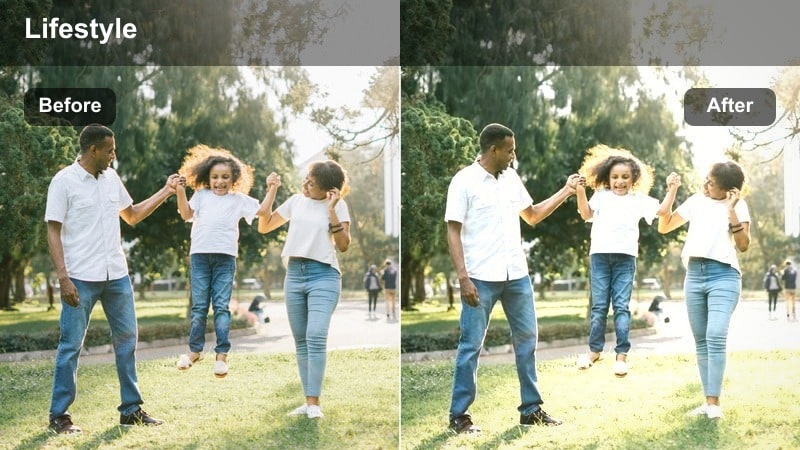
- Effect look: Clean, inviting warmth with moderate contrast that makes entryways feel open and welcoming.
- Best for: Entryway tours, front door transitions, and before-and-after decor transformation reels.
- Editing tip: Stabilize your walking shots and apply a subtle crop-in to reduce edge distortion while keeping the warm tone consistent.
Doorway First Impression is designed to make your entryway feel bright and welcoming from the very first frame of your Reel. In Filmora, pair a balanced warm filter with image stabilization to smooth out walk-in shots from the front door, ensuring viewers focus on decor, not camera shake.
Use this look for before-and-after transitions or reveal shots where you move from outside to inside. A moderate crop-in and consistent warm grading across all entryway clips will give your transformation Reels a polished, professional finish.
Countertop Cozy View
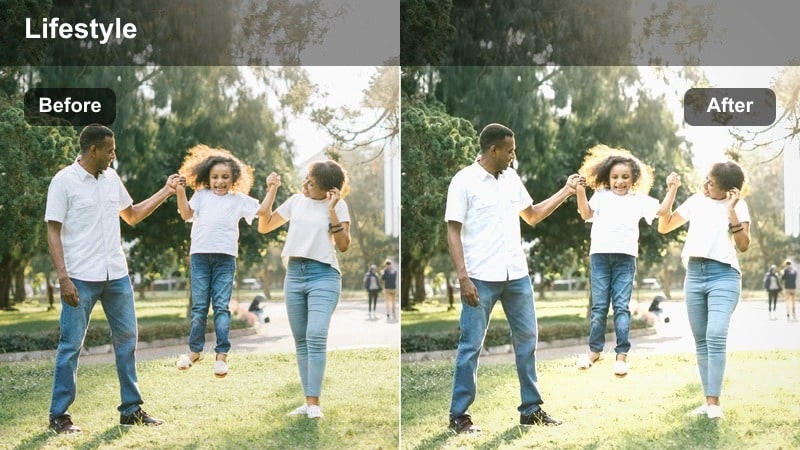
- Effect look: Soft, golden midtones and slightly desaturated greens that flatter modern and farmhouse-style kitchens.
- Best for: Kitchen counter decor, open shelving styling, and sink-side decor reels shot in daytime.
- Editing tip: Boost sharpness just a touch on tiles and fixtures to offset the softness of the warm tones.
Countertop Cozy View gives your kitchen a gentle, golden lift that flatters white cabinetry, stone worktops, and open shelving. In Filmora, apply a warm decor filter and ease off green saturation slightly to avoid harsh color casts on plants or tiles while keeping the overall scene cohesive.
For Reels, pan slowly along countertops or shelves to highlight styled vignettes, cutting between wides and detail shots for variety. A light sharpness boost on tiles, tapware, and hardware balances the softness of the warm tones, making your kitchen feel both cozy and crisp on camera.
Hallway Soft Trail
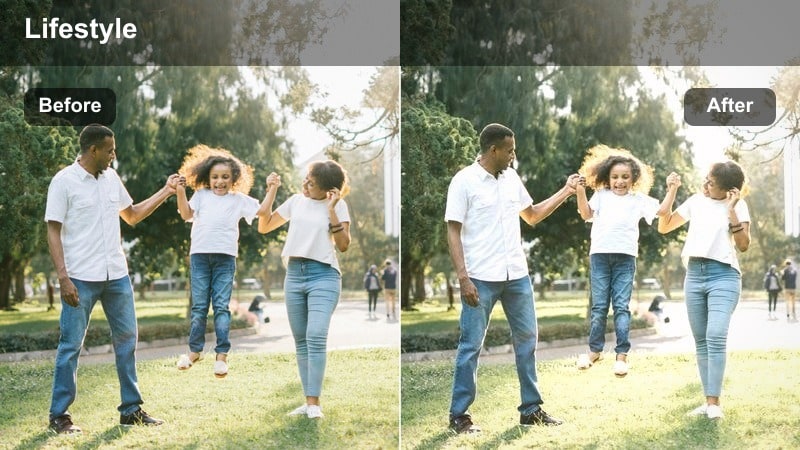
- Effect look: Warm, slightly faded look with lifted shadows that make narrow hallways appear softer and more spacious.
- Best for: Hallway decor reels, runner rugs, and wall-mounted storage or gallery setups.
- Editing tip: Use a slower playback speed on walking shots to reduce motion blur while keeping the soft warm ambiance.
Hallway Soft Trail is perfect for turning narrow corridors into bright, inviting transitions in your Reels. In Filmora, a warm, slightly faded filter with lifted shadows helps minimize harsh contrast and makes the space feel more open and airy.
Film slow walk-throughs that follow the line of a runner rug or gallery wall, then reduce playback speed a bit to smooth out motion and let viewers take in the decor. With a consistent warm grade, your hallways become seamless links between rooms and an important part of your overall home aesthetic story.
Tips for Using Instagram Reels Home Decor Luts Warm Filters in Filmora
- Shoot near windows and other natural light sources so Filmoras warm filters enhance real sunlight instead of trying to fake it entirely.
- Keep floors, walls, and large surfaces uncluttered so the cozy warm tones highlight your decor pieces instead of drawing attention to mess or distractions.
- Record a few seconds of steady, static footage in every room, then apply warm filters in Filmora to create calm, cinematic cutaway shots for your Reels.
- Batch-film multiple angles of the same space with the same warm look so you can edit a cohesive, on-brand Reel without color jumps.
- Use Filmoras color controls to avoid over-saturating oranges and yellows, keeping wood, rattan, and textiles looking realistic but still inviting.
- Save your favorite warm filter plus color tweaks as a custom preset so every new home decor Reel starts from the same aesthetic baseline.
- Experiment with subtle vignettes and reduced clarity on close-ups to make lights softer and textiles appear more touchable in your bedroom and living room shots.
- Preview different warm filters on short test clips to find the one that best matches your actual paint colors, countertops, and furniture tones.
Warm, home decor-focused filters help your Instagram Reels feel cohesive, inviting, and on-brand, even when you film in changing light across different rooms.
Experiment with these styles in Filmora, save your favorite combinations as presets, and use them as your go-to look for every cozy room tour and makeover video you share.
secure download